In the Cell Data pop-up, clicking the Expand button  opens a secondary pop-up (Figure 14) which displays:
- the numerical values
- for all Fire and Weather Indicators
- for the cell your selected point falls within
Figure 14. Secondary cell data pop-up

In the Cell Data pop-up, clicking the Expand button opens a secondary pop-up (Figure 14) which displays:
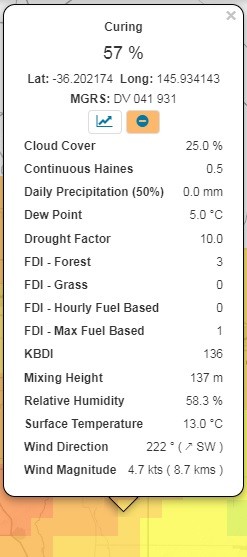
Figure 14. Secondary cell data pop-up